
Design Examples
Selected product design work across B2B, B2C, and administrative platforms. These examples demonstrate end-to-end UX and UI design across complex workflows, from consumer experiences to data-driven operational tools.
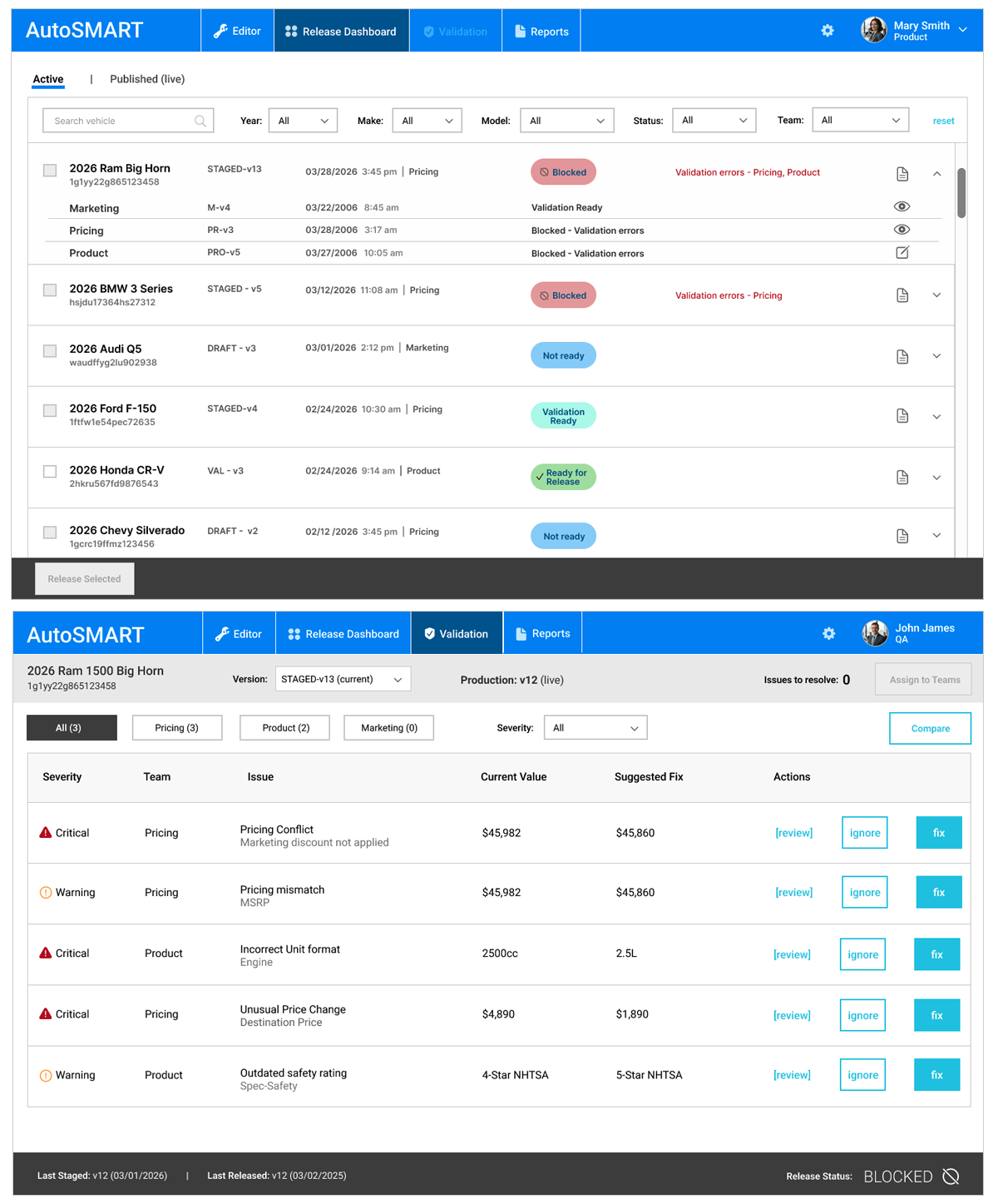
Multi-User Automotive Data Platform
- Simplified complex multi-team coordination and shared data release workflows.
- Multi-team data editing and coordination
- Shared data lifecycle (edit → stage → validate → release)
- System-level state and readiness visibility
- Ownership signals across teams
- Reduced version conflicts and manual coordination
- Improved release accuracy and reliability
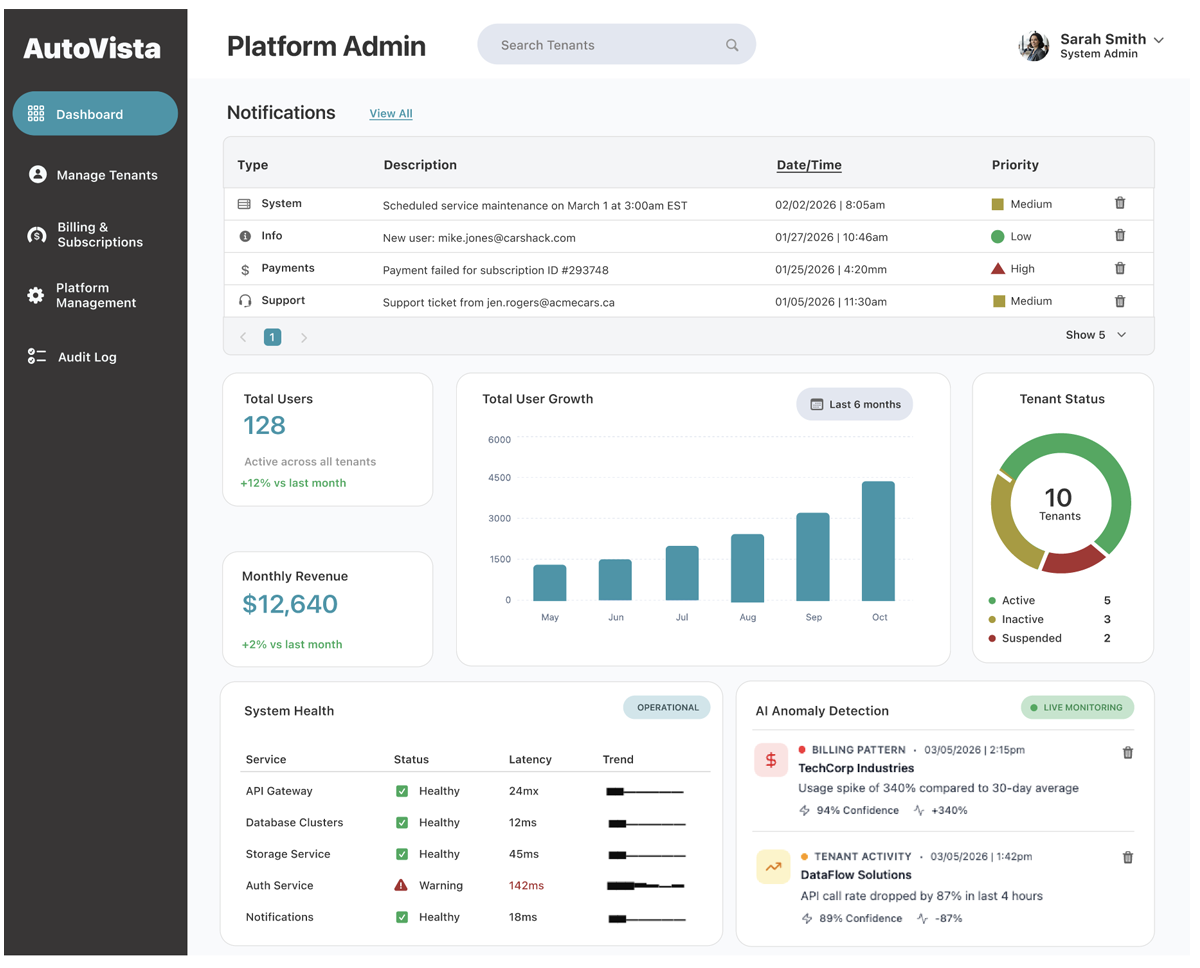
Multi-Tenant Admin System
- Balanced scalability, flexibility, and permission management across tenant-based workflows
- Platform + tenant admin workflows.
- Tenant management and configuration
- User roles and permission controls
- Dashboard analytics and usage insights
- Feature flag and access management
- Billing and plan configuration
- AI-assisted workflows
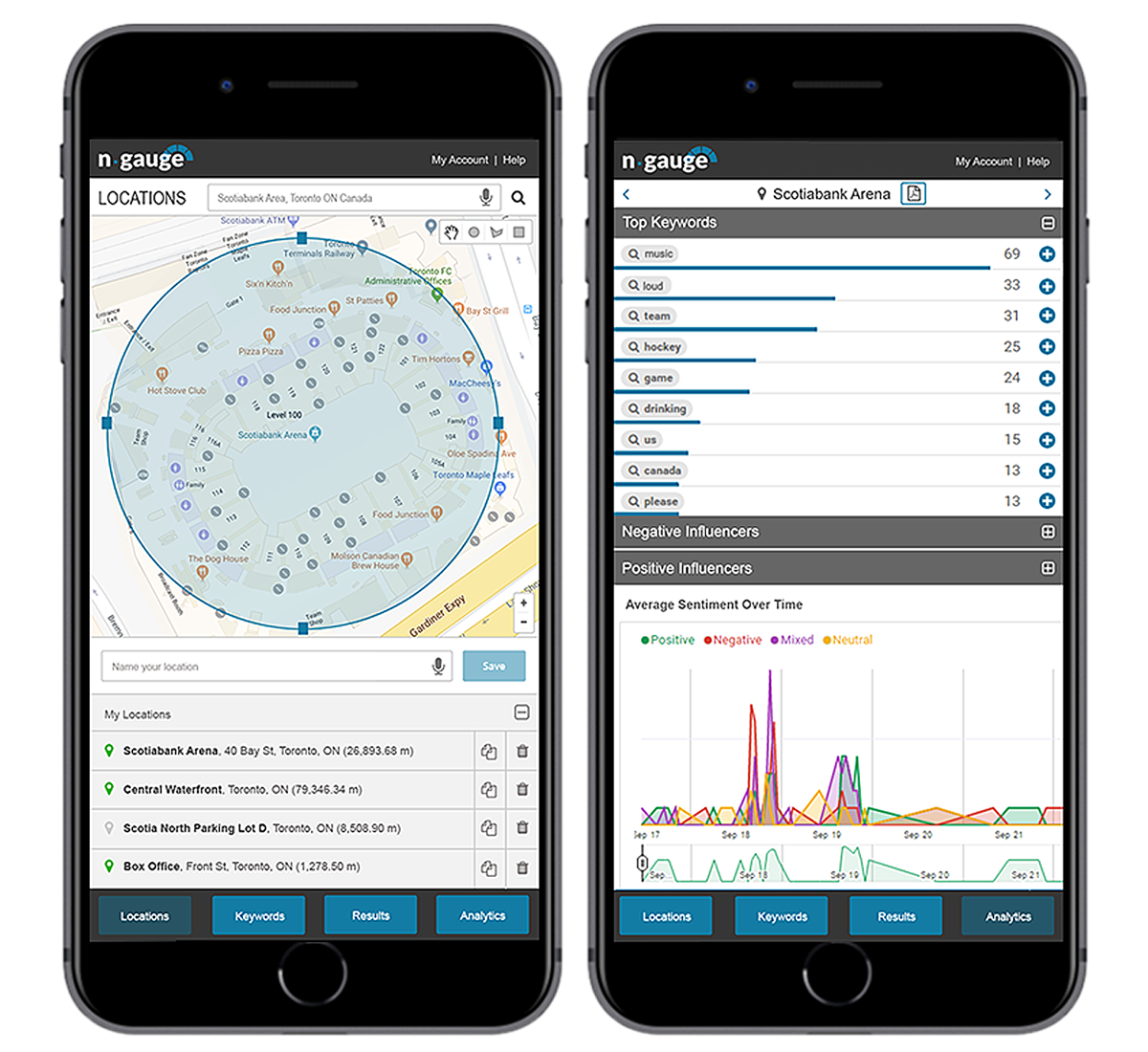
Real-time Social Media Analytics
- Translated large-scale real-time social data into actionable monitoring and analysis workflows.
- Real-time social data monitoring
- Geographic targeting and mapping
- Keyword and brand tracking
- ML-based trend and anomaly detection
- Image + text pattern analysis
- Filtering and multi-view data visualization
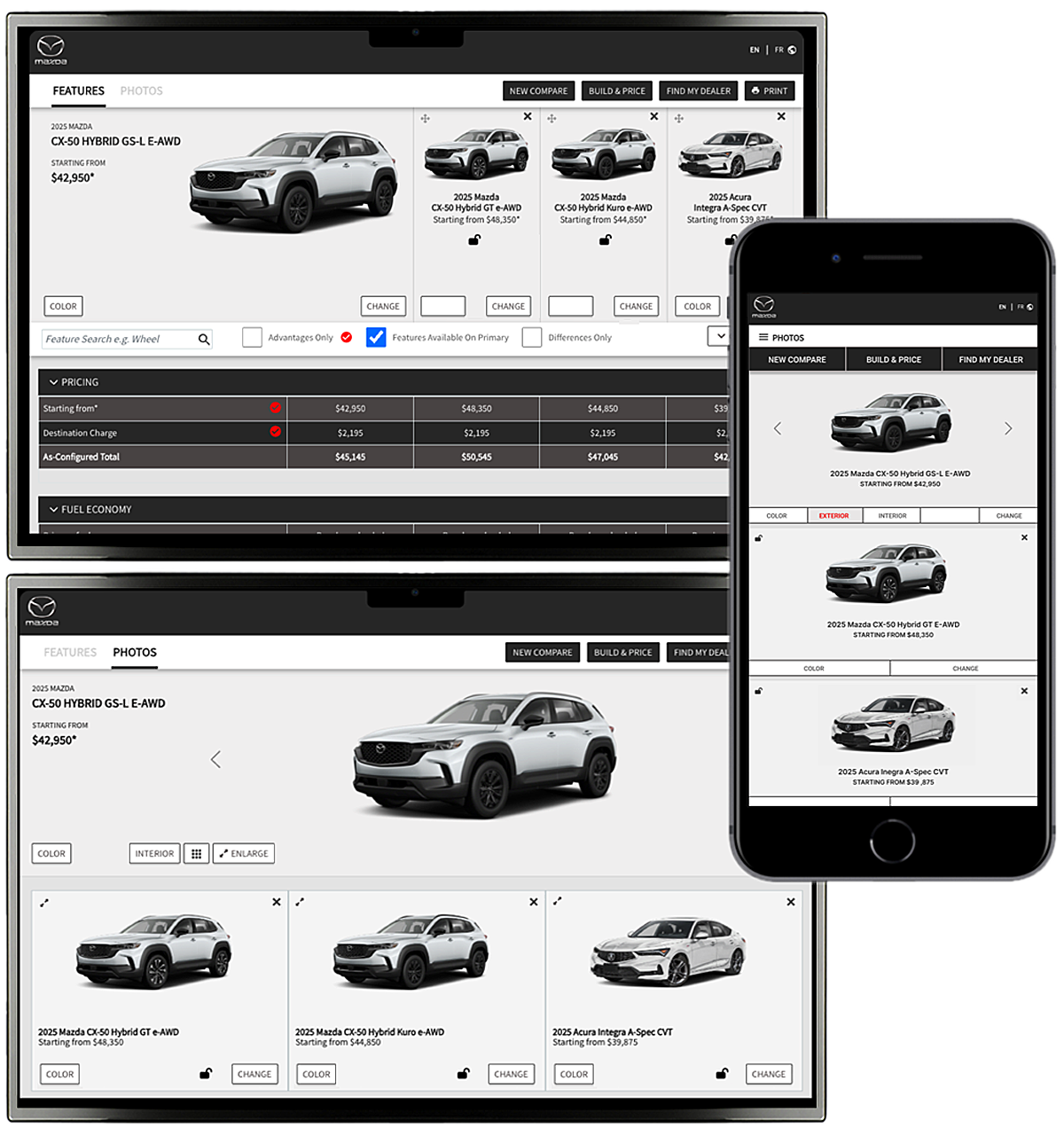
White-Label Vehicle Comparison Module
- Balanced usability, scalability, and white-label flexibility across multiple automotive brands.
- Responsive comparison experience
- Side-by-side vehicle comparison
- Configurable filters and feature sets
- Dynamic data updates based on selections
- OEM branding and customization
- Integration with client UI systems and data sources
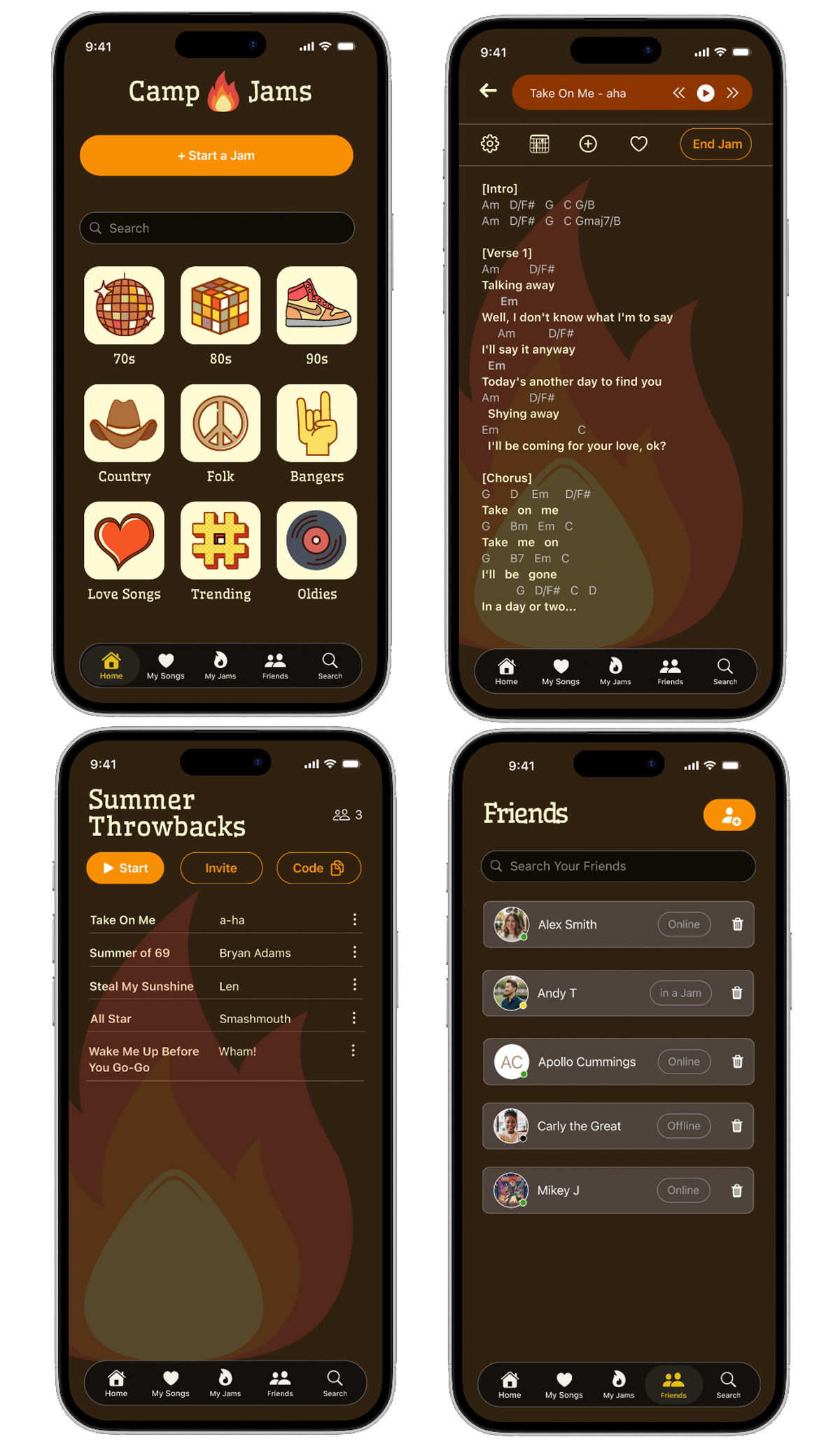
Real-Time Music Collaboration (Mobile)
- Reduced friction during live performance through hands-free and real-time interaction design.
- Real-time collaborative performance experience
- AI-powered search and song discovery
- Hands-free voice commands for control
- Auto-scrolling to support live performance
- Session codes for quick onboarding
- Saved songs for fast session access
Interactive eLearning Experiences
- Combined interaction design, animation, audio, and video to create engaging learning experiences for children.
- Motion and multimedia used to support engagement and comprehension
- Interactive audio, video, and animated learning content
- Age-appropropriate design and interaction
- Interactive quizzes and guided learning activities
- SCORM-compliant courses for LMS integration and tracking
- Clear navigation and structured content progression
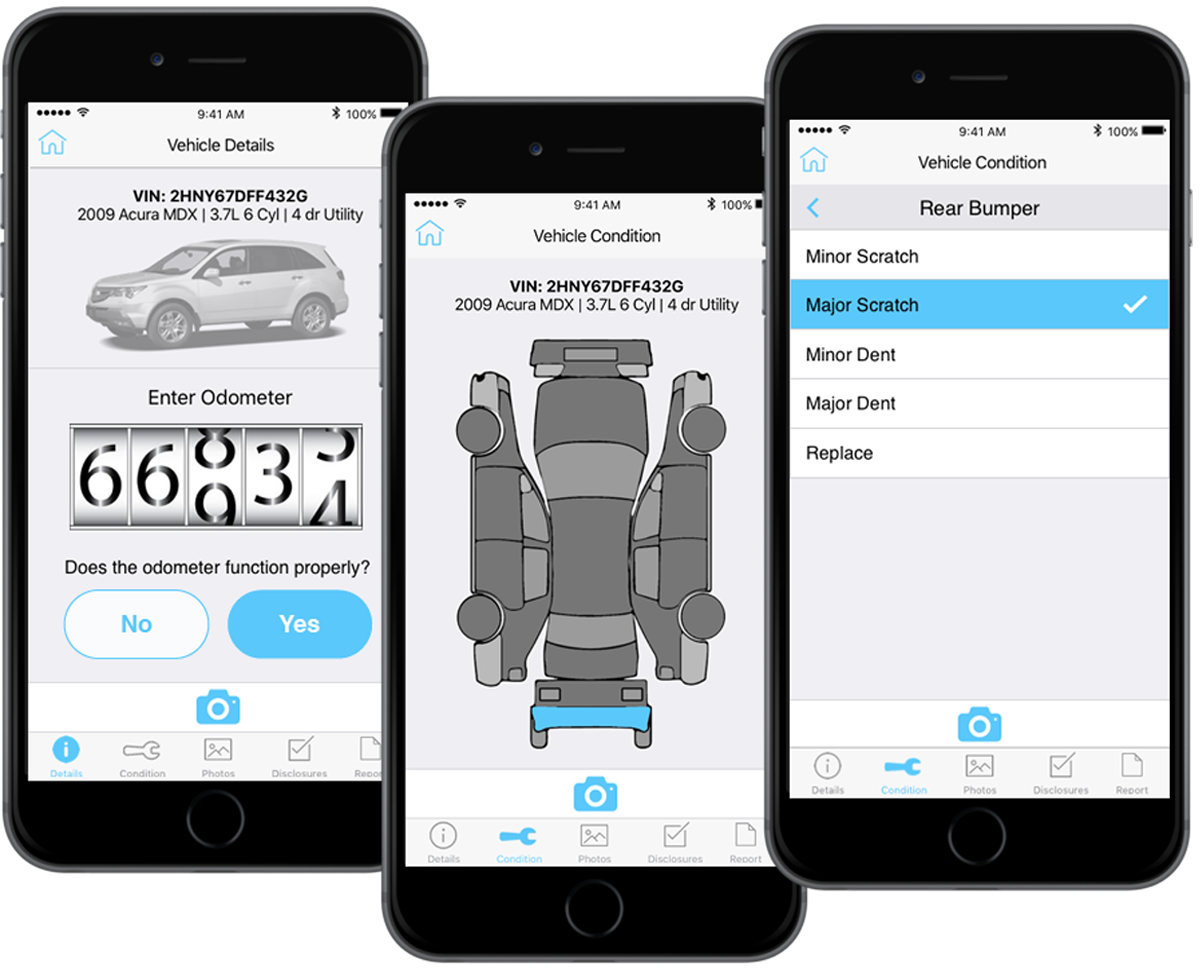
Vehicle Damage Reporting (Mobile)
- Reduced friction in mobile reporting workflows through guided interactions and structured inputs.
- Guided, step-by-step reporting flow
- VIN scanning for auto-populated data
- Interactive vehicle damage mapping
- Structured inputs to reduce user error
- Embedded photo capture within flow
- Improved accuracy and report completeness
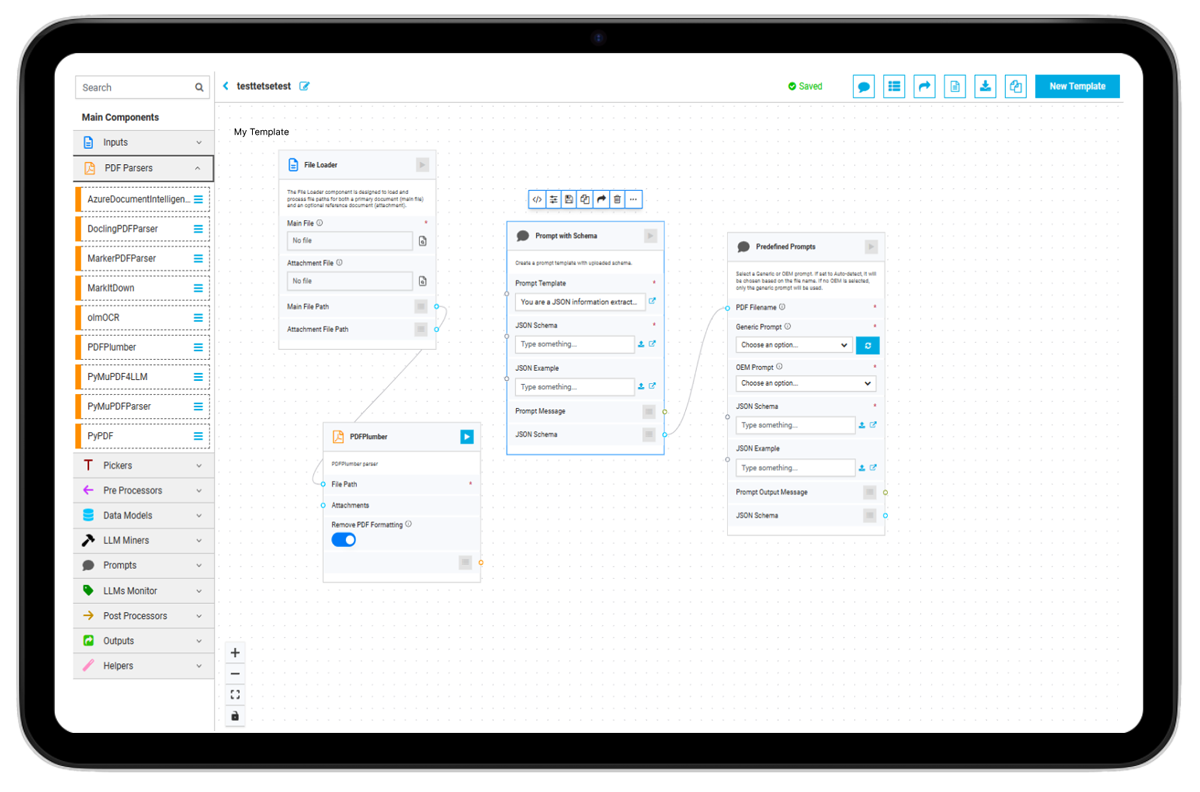
AI-Assisted Configuration Canvas
- implified complex configuration workflows through visual composition and AI-assisted automation
- Visual, canvas-based configuration workflow
- Modular components for template assembly
- Drag-and-drop composition of data structures
- AI-assisted field suggestions and organization
- Standardized, reusable template creation
- Reduced manual effort and variability
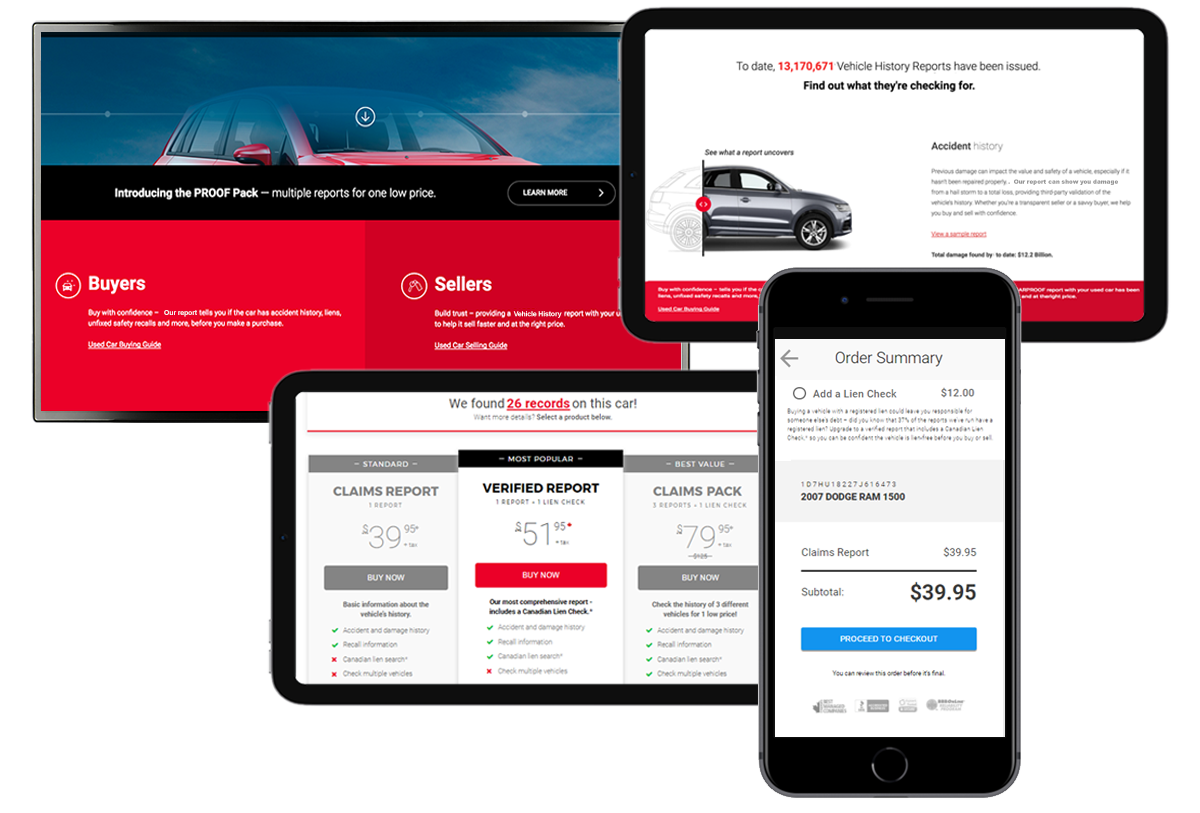
E-Commerce Checkout Flow
- Reduced checkout friction through streamlined workflows, validation, and progressive guidance.
- Multi-step checkout workflow
- Inline validation and error handling
- Clear form structure and visual hierarchy
- Progress indicators for step awareness
- Reduced friction in data entry
- Improved completion and conversion
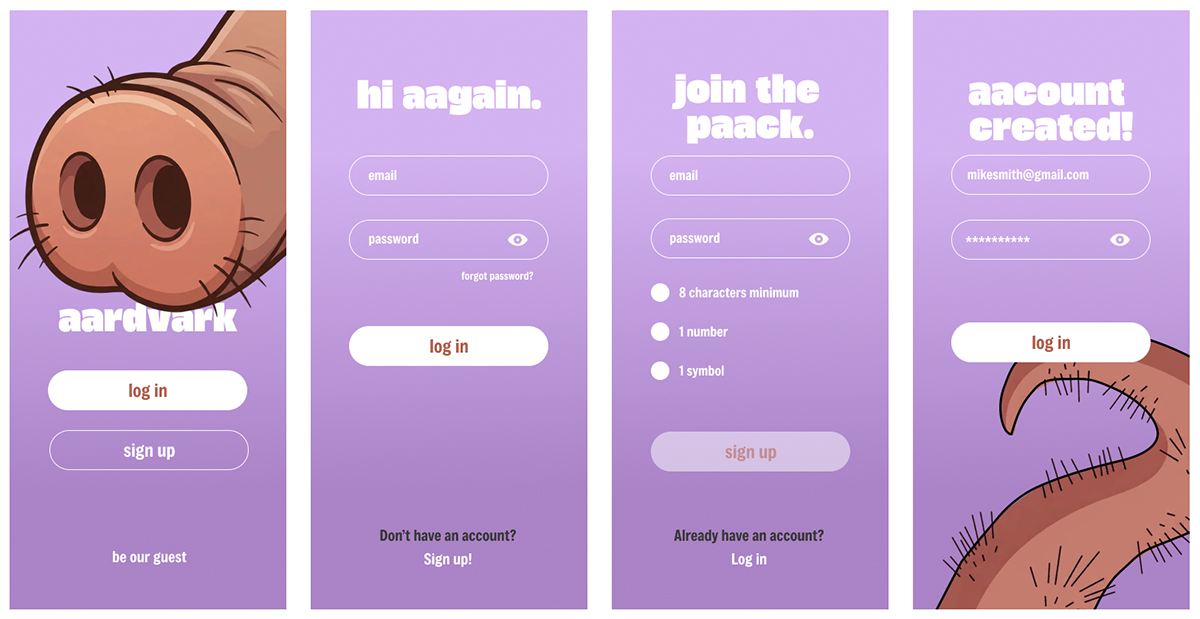
Mobile Onboarding & Account Creation
- Reduced onboarding friction through progressive guidance, validation, and streamlined mobile interactions.
- Mobile login and account creation flow
- Guest entry for immediate access
- Progressive password validation with real-time feedback
- Reduced friction in initial onboarding
- Clear form structure and error prevention
- Brand-aligned visuals and tone